
Congratulations! Your IMS form has been submitted and received. After completing your registration and payment (if you chose ACH, expect an invoice from Melio Payments), please give us just 2-4 business days for our merchant processing partner, Seamless Chex, to setup your account access. Setup does not begin until your payment has cleared.
Expect a notification about your Payment Gateway ID number issued by Authorize.net.
Do not go off on your own and setup an Authorize.net account without this email. The email subject line will literally be, “Welcome To Authorize.Net.” Your payment gateway ID number will be in that email and a large button stating to get started.
Here’s an example for you:
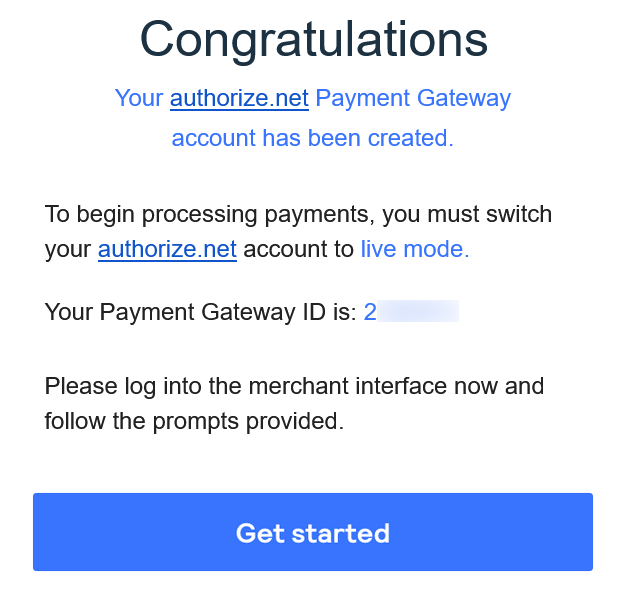
Once your Authorize.net account is setup, please proceed with making your account live. Then follow the steps below to setup your API login and license key.
STEP 1
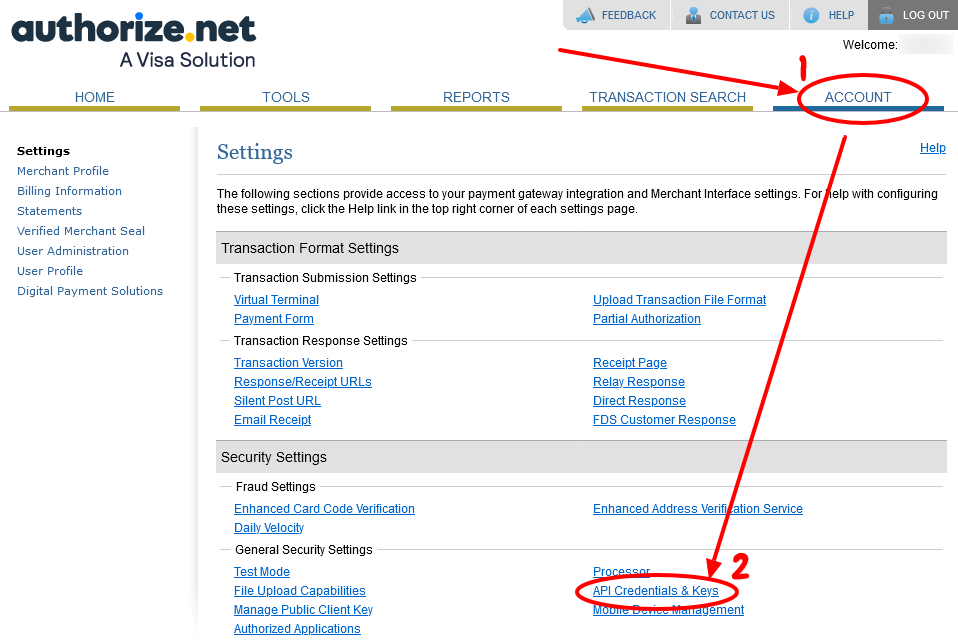
STEP 2
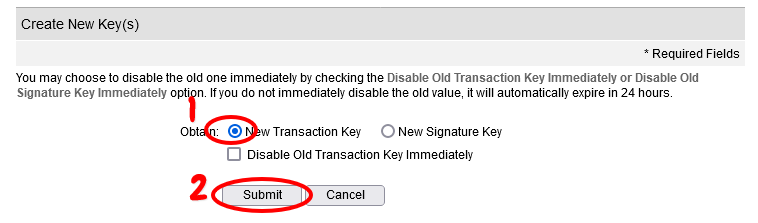
STEP 3
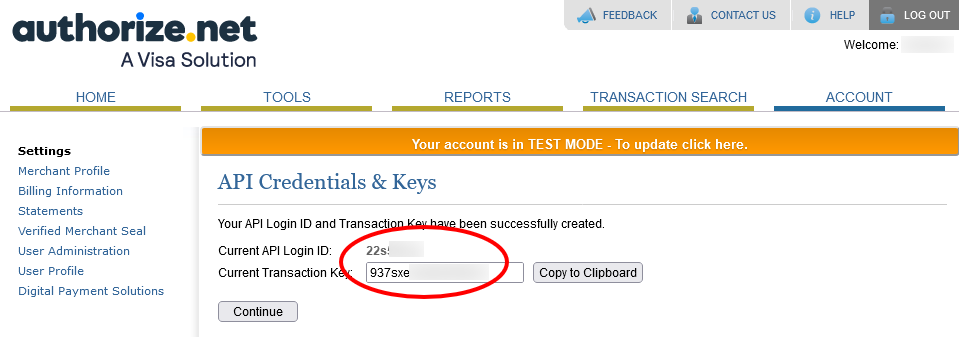
STEP 4
[SUBMISSION FORM WILL BE AVAILABLE IN THE MEMBER’S AREA]
Once the form is submitted, we only need 2-3 business days to integrate your payment gateway with your agency website and your Credit Manager portal so that customers may begin paying you via credit cards and debit cards.
You will be notified when everything is ready.
Remember, when your customers pay for invoices for credit repair, we will take our commissions and the transaction fee, then transfer whatever is yours directly into your bank account. When customers pay for a course, we will only deduct the transaction fee, then pass everything to your account.
If you are connected to our PayNote, there is nothing for you to do. If you are using Melio Payments, we will send you a payment through there. If you want a Melio Payment account, CLICK HERE to register. Both are ACH activated, meaning we transfer funds directly to your bank account.
Details on how to connect via PayNote will be provided at a later date.